Building Chess With Jev and Claude Opus 5.5
Utilize Jev, a System One Model to build a game of Chess.

Abdullah Muhammad
Published on October 2, 2026 • 7 min read
Introduction
At the speed of change in AI, maybe this article is already irrelevant.
Nevertheless, I digress. With the recent launch of Jev, TypeSafe AI's System One model, there is quite a bit you can do with it.
System One refers to fast, intuitive judgment rather than slow, step-by-step reasoning.
Instead of generating text, you provide Jev with a state and a typed question. Jev chooses from the options you provide and returns probabilities for those choices. It does not operate like your traditional LLM.
Jev supports three types of questions:
- choice — Select an option from a list
- score — Place something on a scale
- noul — Answer yes or no
I used Jev, along with Claude Opus 5.5, to build a Chess game (you can find it here).
The following list highlights the stack (we will cover this in detail shortly) I used to build out the game:
- Chess.js
- Docker
- Next.js
- Stockfish 19 (engine)
- TypeSafe AI Jev
- Vercel with Upstash Redis
Chess is a well recognized board game and as such, already has a vast pool of resources that can help expedite the development process.
For example, there is no need to invent a new Chess engine (we already have one). There are plenty of existing, well known libraries that can handle all of this for you.
Building a Chess Game with Jev
Stockfish will beat you consistently, but playing against an engine does not necessarily have to feel like playing against another person.
I wanted to create something different. Incorporating Jev into gameplay allows for the creation of an opponent that can make judgments, have a playing style, and let you see what it is considering.
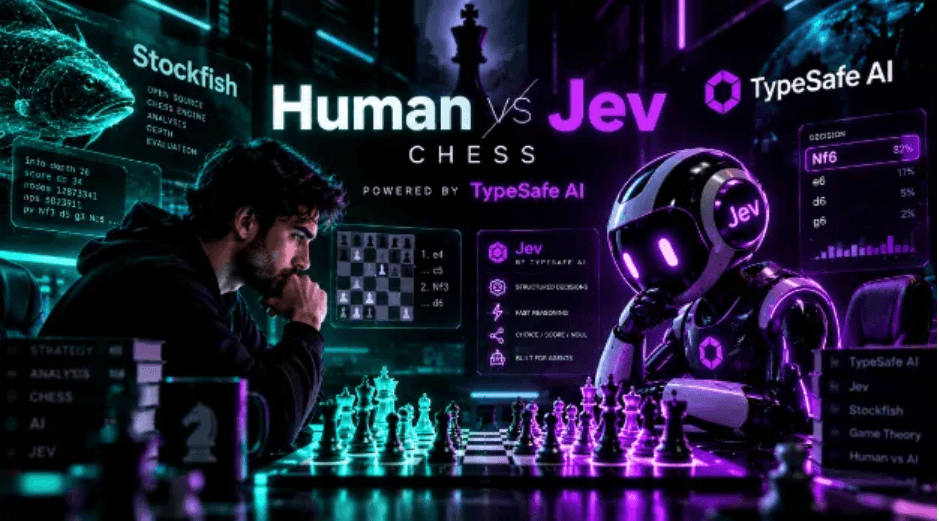
So I built Jev Chess, a TypeScript web application where you can play against TypeSafe AI's Jev model, Stockfish, or a hybrid of the two. Chess fits well here because every legal move can become an option.
The following code fragment details how you can work with the TypeSafe AI's Jev SDK to make a valid Chess move given a set of options:
You can read more about TypeSafe AI Jev in the official documentation located here.
This is a simple example of how Jev can be presented with move options and select one of them.
Instead of allowing Jev to generate arbitrary Chess notation, the chess.js library is used to generate the legal moves first and those moves become Jev's available choices.
This means Jev cannot simply invent an illegal move. The returned probabilities also make it possible to show what other moves Jev is considering.
The Stack
The application is built using TypeScript end to end. The following list highlights the main technologies:
- Next.js and React — Application and server API routes
- Chess.js — Chess rules and legal move validation
- React-Chessboard — Interactive Chess board
- Stockfish — Traditional Chess engine
- TypeSafe AI SDK — Jev integration
- Tailwind CSS and Shadcn/ui — Interface
Stockfish runs directly in the browser using a web worker.
All Jev requests go through server-side Next.js routes so the TypeSafe API key is never exposed to the browser.
Setup
You can find the source code for this project here. You can self-host it, run it in a container via Docker, or simply run this project locally.
Install the project's dependencies and configure your TypeSafe API key before making requests to Jev. To get access to the TypeSafe API key, you will need to sign up here.
Due to a surge in demand, TypeSafe AI has temporarily halted access for new users attempting to onboard the site. You can visit the site and see for yourself if access is being granted again.
Create a .env.local file:
TYPESAFE_API_KEY=your_typesafe_api_keyTYPESAFE_API_KEY authenticates the server-side requests made through the TypeSafe AI SDK.
The key should remain server-side. Do not expose it through a NEXT_PUBLIC_ environment variable.
The project also supports a local mock implementation of Jev. If no API key is provided, the mock can be used during development and testing.
For production deployments such as Vercel, the application can additionally use Upstash Redis for shared rate limiting. You will need to add those environment variables as well.
How Jev Plays Chess
The basic request flow is essentially the following: Chess Board → chess.js → Generate Legal Moves → Next.js API → Jev → Selected Move → chess.js Validation → Chess Board.
The application exposes three Jev-related server routes:
/api/jev/move/api/jev/evaluate/api/jev/draw
The move route asks Jev which move it wants to play. The evaluation route asks Jev to judge the current position. The draw route lets Jev decide whether it wants to accept a draw.
Only the server creates the Jev SDK client.
Personalities and Difficulty
I wanted Jev to feel less like a traditional Chess engine, so I added several personalities:
- Balanced
- Aggressive
- Defensive
- Positional
- Tactical
- Unpredictable
The personality does not change the underlying model. Instead, it changes the instructions Jev receives when judging its options.
Difficulty works differently. On Hard mode, Jev's highest-probability choice is always played.
On the Medium and Easy modes, the game samples from Jev's returned probabilities. Easy introduces more randomness.
That means Jev can occasionally choose a move it considers reasonable without always choosing its top answer, producing more human like mistakes and even in some egregious cases, blunders.
Combining Jev with Stockfish
Jev makes judgments, but it does not calculate Chess positions the way Stockfish does.
That creates an obvious weakness. A move may look strategically reasonable while losing to a tactical sequence two or three moves later.
Stockfish has the opposite characteristics. It calculates extremely well, but it does not have a personality.
This led to the most interesting part of the project: Hybrid mode.
Hybrid mode works like this: Current Position → Stockfish → Top 5 Moves → Jev → Personality Judgment → Selected Move → chess.js → Board.
Stockfish first searches the position and returns its five strongest moves, along with evaluations and expected replies.
Those candidates are then sent to the Jev server route. Before Jev sees them, the server validates the candidates again using chess.js.
Jev then receives information similar to:
“Pawn from d2 to d4. Stockfish choice #2. Evaluation for you: +0.30 pawns. Expected reply: exd4"
Jev's job is no longer to find a strong Chess move from scratch. Stockfish has already done that.
Instead, Jev decides which of those strong moves best matches its personality without unnecessarily throwing away the position.
An aggressive Jev might prefer Stockfish's second or third recommendation because it creates attacking opportunities while a defensive Jev might prefer the safer alternative.
This gives the system the strengths of both approaches: Stockfish handles calculation, while Jev handles judgment
Giving Jev Better Context
One of the biggest lessons from building the project was that improving Jev's decisions did not necessarily require longer instructions.
It required better information. For example, Jev initially had trouble recognizing hanging pieces.
A move description might originally say:
“Bishop captures on f7 with check.”
That describes what happened, but it leaves out something extremely important: what happens to the bishop afterward?
I added information calculated using chess.js, such as:
“Bishop captures on f7 with check. There it can be taken by a pawn and is not defended.”
That additional state significantly changed Jev's judgment. Material evaluation produced a similar problem.
Giving Jev only the raw FEN string was not always enough for it to correctly understand a large material advantage.
So I explicitly provided information such as:
“White is ahead by 9 points of material.”
I also included the pieces remaining for each side. The general lesson extends beyond Chess:
Give a judgment model the facts it needs to make the judgment instead of expecting it to derive every important fact itself.
Guardrails
When an AI model and a Chess engine can both produce moves, the application needs one source of truth.
For Jev Chess, that source is chess.js. Every move from the player, Jev, or Stockfish is validated before the board changes.
If Jev times out or encounters an error, a simple heuristic can select a move instead.
In Hybrid mode, Stockfish's top recommendation becomes the fallback. That means a failed AI request does not stop the game.
The TypeSafe API key also stays exclusively on the server. Browser code communicates with the Next.js API routes rather than communicating with Jev directly.
Try It Yourself
The application can be played in the browser. The source code for this project is available on GitHub here.
The project is licensed under GPL-3.0-or-later because it ships Stockfish.
You can also run the application locally using a shell script located at the root of the project under the scripts directory:
./scripts/setup.sh local --startIf you are using Windows, you can run the following:
.\scripts\setup.ps1 local -StartThe setup script asks for your TypeSafe API key. You can leave it empty to run the project using the mock Jev implementation.
If you want to see the combination of Jev's judgment and Stockfish's calculation in action, Hybrid mode is where the idea behind the project comes together.
Conclusion
We did a deep dive into working with TypeSafe AI's Jev, a System One Model.
Building a Chess game with Jev showcases how you can bring judgment and personality to applications that traditionally rely on deterministic algorithms.
There is much more you can do with Jev, and this article barely touches the surface of the capabilities of Jev.
Be creative and come up with your own use cases.
In the list below, you will find links to the Chess site, GitHub repository containing the source code, and the official TypeSafe AI docs:
I also created a nice summary sheet for this article, which you can find in the Medium demos repository here.
I hope you found this article helpful and look forward to more in the future.
Thank you!
Related Articles

Level Up Claude Code with Agentic Skills
Understand agentic skills and apply them to your Claude development workflow.

Your Detailed Guide to the AWS AI Practitioner Exam
Dive deep into key concepts covered in the AWS AI Practitioner certification exam and gain a solid foundational understanding of AI.

Top 5 React Libraries for Web Development in 2025
As a developer in 2025, learn of the top five libraries you must know for modern web development.

The Core Concepts and Principles of Cloud Computing
Understand the core concepts and principles of cloud computing and how to follow best practices when working with cloud computing services.